Related Articles
The Related Articles feature suggests FAQ articles while an agent or a customer user is writing a new ticket. The suggestions are based on the keywords extracted from the Subject and Text fields and are updated in real time as the user types.
This feature is available in ticket creation screens such as New Phone Ticket, New Email Ticket and the customer ticket creation screen.
Agent Interface
When an agent creates a new ticket, a This might be helpful widget appears automatically inside the ticket form as soon as words are typed in the Subject or Text fields.
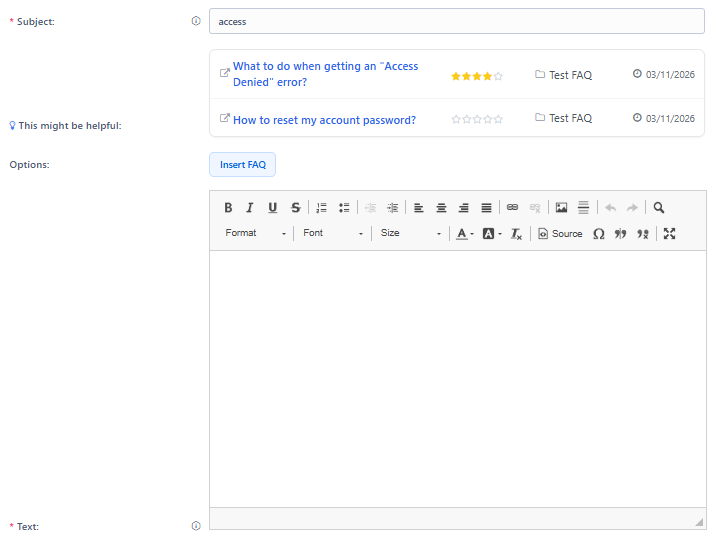
Related Articles Widget Based on Subject
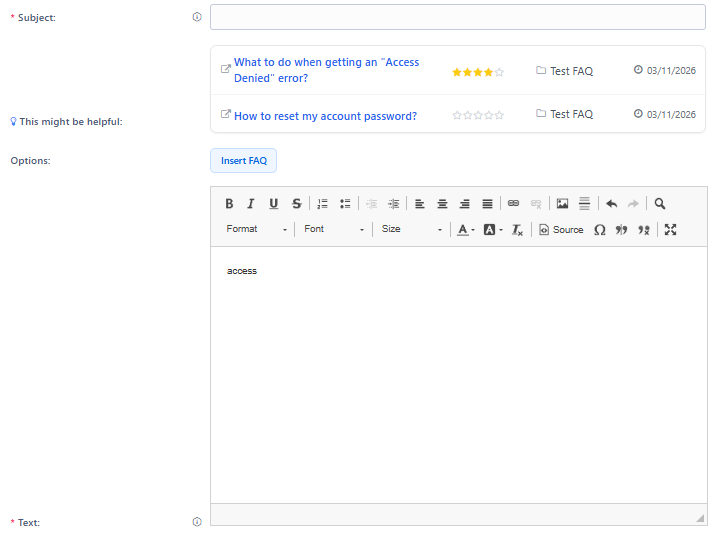
Related Articles Widget Based on Text
The widget displays a table with the matching FAQ articles containing the following columns:
- Title
The title of the FAQ article. Clicking on the title opens the FAQ Zoom screen in a new browser tab.
- Rating
The average rating of the FAQ article, displayed as stars (0–5). Stars are filled according to the votes received.
- Category
The category the FAQ article belongs to.
- Last update
The date the FAQ article was last modified.
The suggested articles are sorted by relevance, which is calculated based on the number of keyword matches between the ticket content and the FAQ article keywords. Articles with more keyword matches appear first. When two articles have the same number of matches, the most recently updated article appears first.
The list is refreshed automatically as the agent types additional words into the Subject or Text fields.
Note
The This might be helpful widget is only visible when at least one matching FAQ article is found. If no matches are found, the widget is hidden.
Note
The search is performed against FAQ articles visible to agents (states internal (agent), external (customer) and public (all)).
Customer Interface
When a customer user creates a new ticket, a similar suggestions widget is shown inside the ticket form based on the Subject and Text fields.
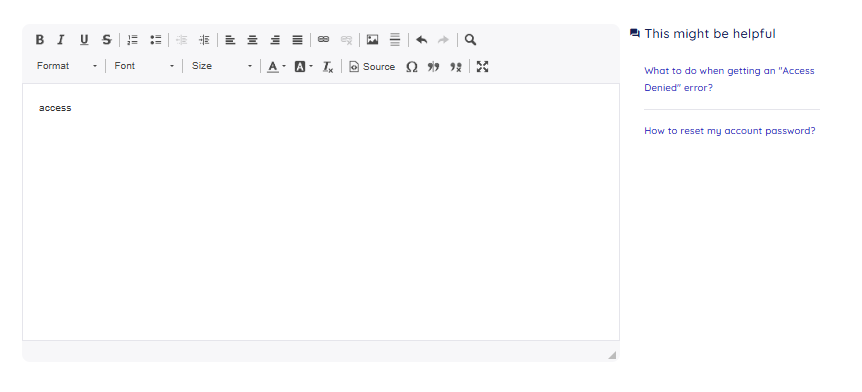
Related Articles Widget in Customer Interface
The behaviour and layout are the same as in the agent interface. Clicking on a suggested FAQ article opens the customer FAQ zoom screen in a new browser tab.
There are two operating modes for the customer interface, depending on system configuration:
- Search by subject and body
By default, the suggested FAQ articles are retrieved by matching the keywords extracted from the Subject and Text fields against the keywords of publicly visible FAQ articles.
How the Matching Works
The system extracts keywords from the Subject and Text content by splitting the text on whitespace and punctuation. Common formatting (HTML tags, URLs, numbered references) is removed before the extraction.
Each keyword found in the text is counted. The system then looks up which FAQ articles have those keywords assigned and calculates a relevance score for each article by summing the occurrence count of all matching keywords.
The articles with the highest relevance score are shown first in the widget, up to the configured limit (default: 10 articles).