Explorer
Use this screen to browse through the FAQ articles. The FAQ explorer is available in the Explorer menu item of the FAQ menu.
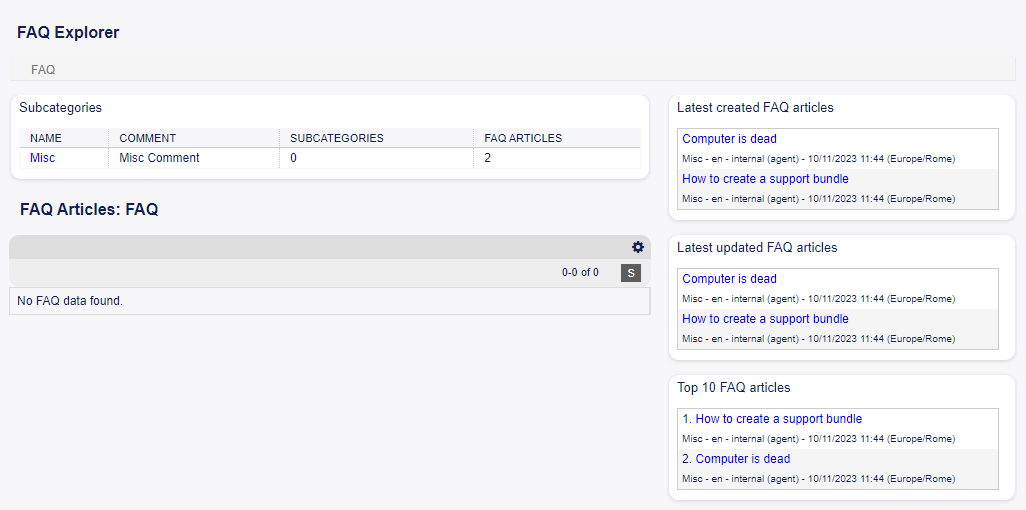
FAQ Explorer Screen
This screen contains several widgets.
FAQ Explorer Content Widgets
The Subcategories widget lists all categories and displays the number of subcategories and FAQ articles.
To select a category, just click on the name of a category.
If a category contains at least one FAQ article, the list of FAQ articles will display in the FAQ Articles widget. This widget displays some information about the FAQ articles, like Title, Language, State and Validity.
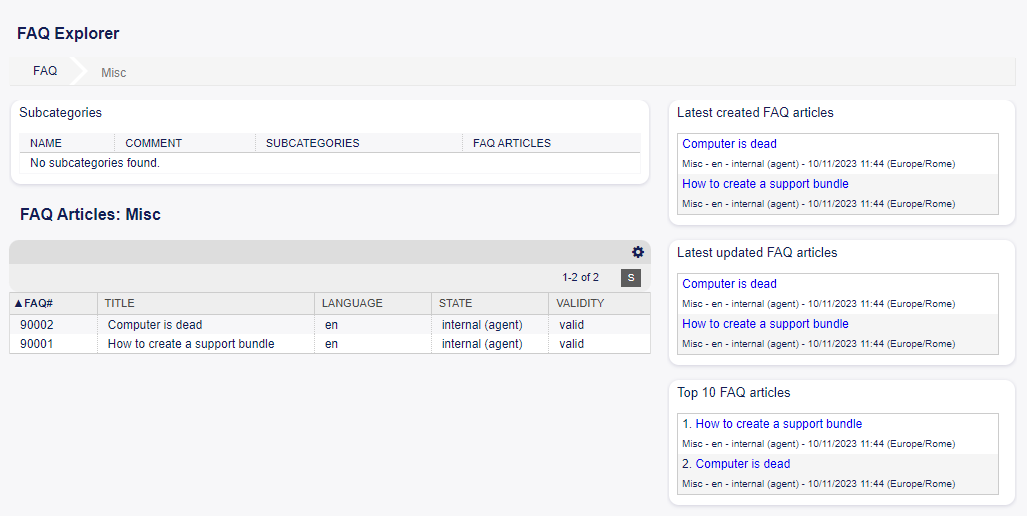
FAQ Articles Widget
To limit the number of displayed FAQ articles per page:
Click on the gear icon in the top right corner of the overview header.
Select the maximum number of changes FAQ articles per page.
Click on the Submit button.
Clicking on an FAQ article will open the FAQ Zoom screen.
FAQ Explorer Sidebar Widgets
The right sidebar lists the recently created, updated FAQ articles, as well as the top 10 FAQ articles.
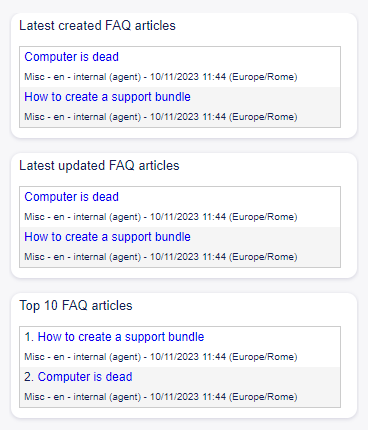
FAQ Explorer Sidebar
The Latest created FAQ articles widget displays the FAQ articles, that are created recently.
The Latest updated FAQ articles widget displays the FAQ articles, that are updated recently.
The Top 10 FAQ articles widget displays the top 10 articles based on its ratings.
To rate an FAQ article:
Click on the FAQ article to open the FAQ Zoom screen.
Scroll down to the bottom of the screen.
Click on the Yes or No button in the Rating widget.
Any user can rate an FAQ article only once. The number of positive and negative ratings will be displayed in the right sidebar of FAQ Zoom screen.